Battledump
Console Game UI Design
Repurposed Assessment Test · 2023
SUMMARY
Battledump is a concept for an action-strategy console game where players build and command robot units in a post-apocalyptic city. Using scrap materials scattered throughout the environment, players assemble robots to serve various roles such as fighters, weapons, vehicles, or workers. The game aims to deliver a competitive and engaging experience with a lighthearted and comic visual style, appealing to a young audience who enjoy strategic gameplay and creative customization.
Assesment Test
This project was part of a 10-day design assesment test aimed at securing a UI/UX designer position with an international game company. The test required the applicants to deliver the following assets:
- A high-definition mockup for a quick access menu selector used mid-game.
- A high-definition mockup for an inventory menu.
I redesigned all of the game assets, modified all copy text, and modeled new 3D meshes, coming up with a completely original project.
Research and Empathy
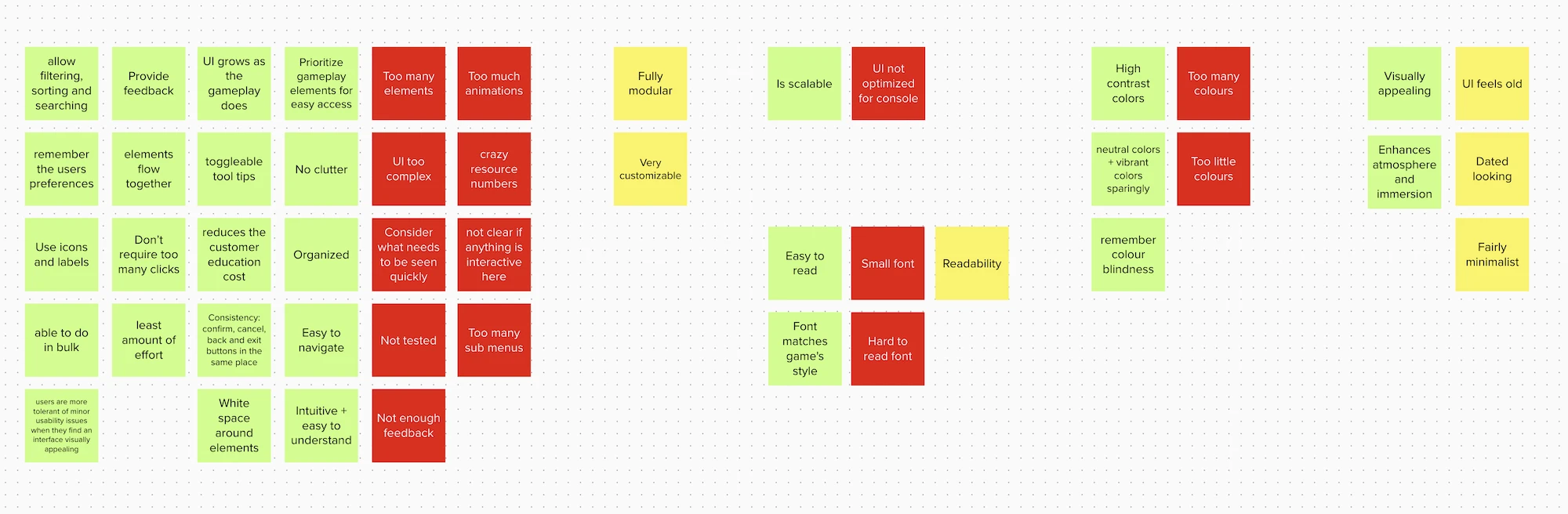
To better understand the user experience, I delved into gamer forums and reviews of action-strategy games. This helped identify common pain points and user complaints about complex interfaces in similar games.
Key Insights
Screen Space and Readability: Players find non-conventional fonts and small copy difficult to read, necessitating the use of highly readable type families and appropriate sizing.
Modern Aesthetics: Comparisons with older games highlighted the importance of contemporary design trends to avoid a dated appearance.
Console-Specific Design: Elements such as oversized buttons and lack of control tips often indicated a design adapted from mobile games, which was undesirable for console users.
An affinity diagram was used to compile and analyze these insights, guiding the ideation process for improved user experience.
Ideation and Sketching
Quick Access Menu Selector
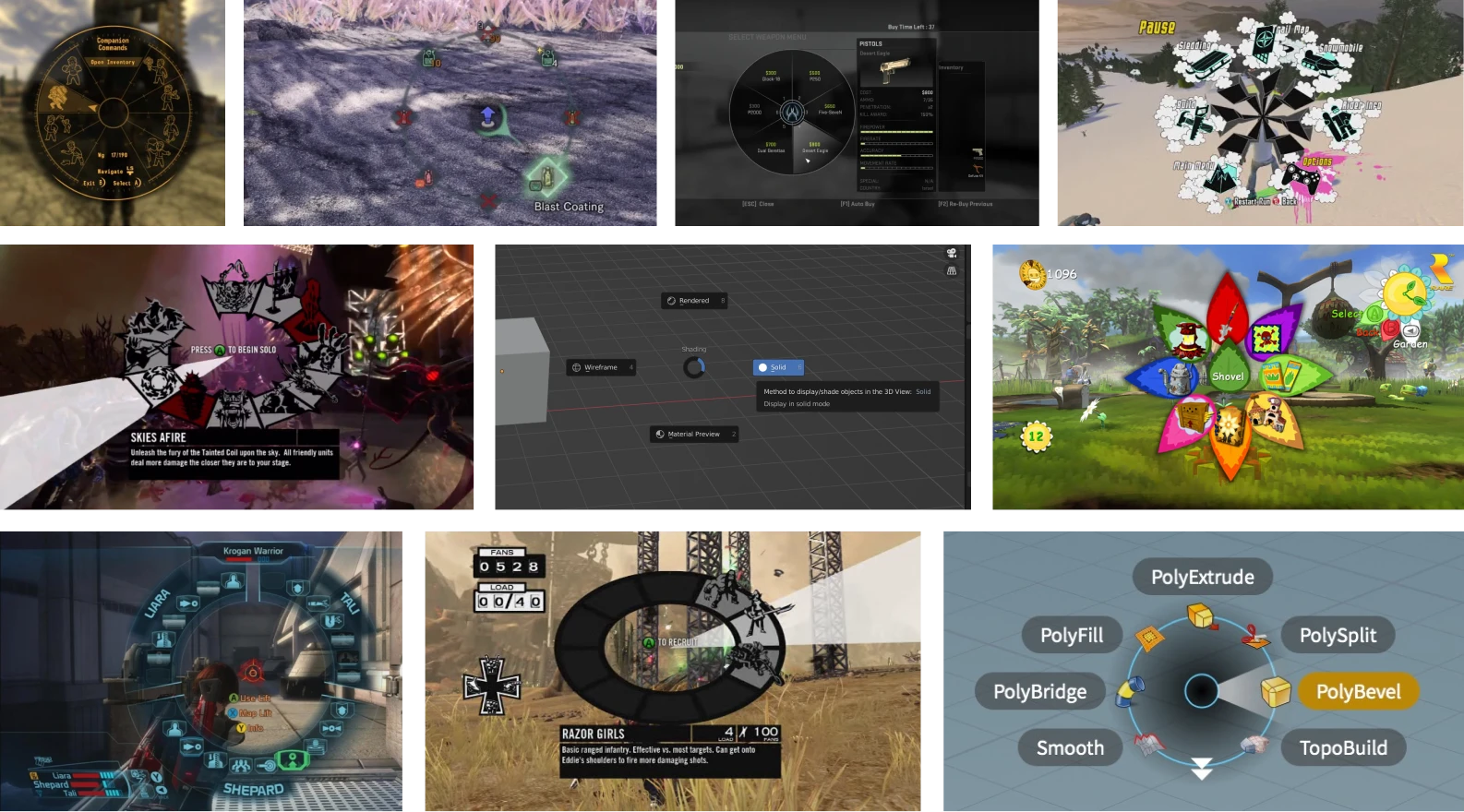
Initial sketches explored various options, including trigger button navigation, drawer menus, and roulette-style menus. However, these designs did not provide the quick access required.
Final Solution: Radial Menu
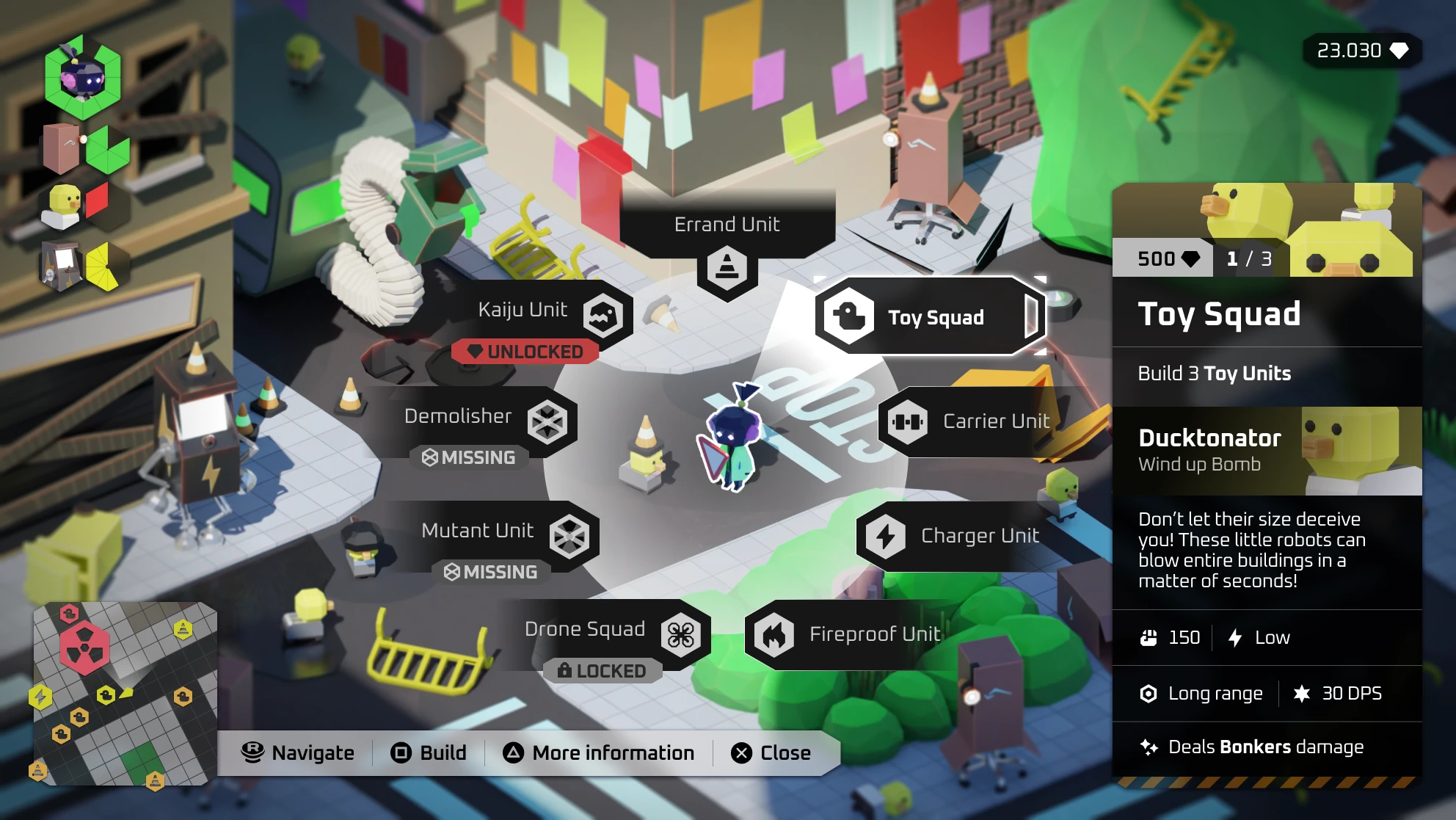
A radial menu was selected for its efficiency in allowing quick access to nine different options. This menu pops up with a hotkey and uses joystick direction for selection, enabling continuous gameplay.
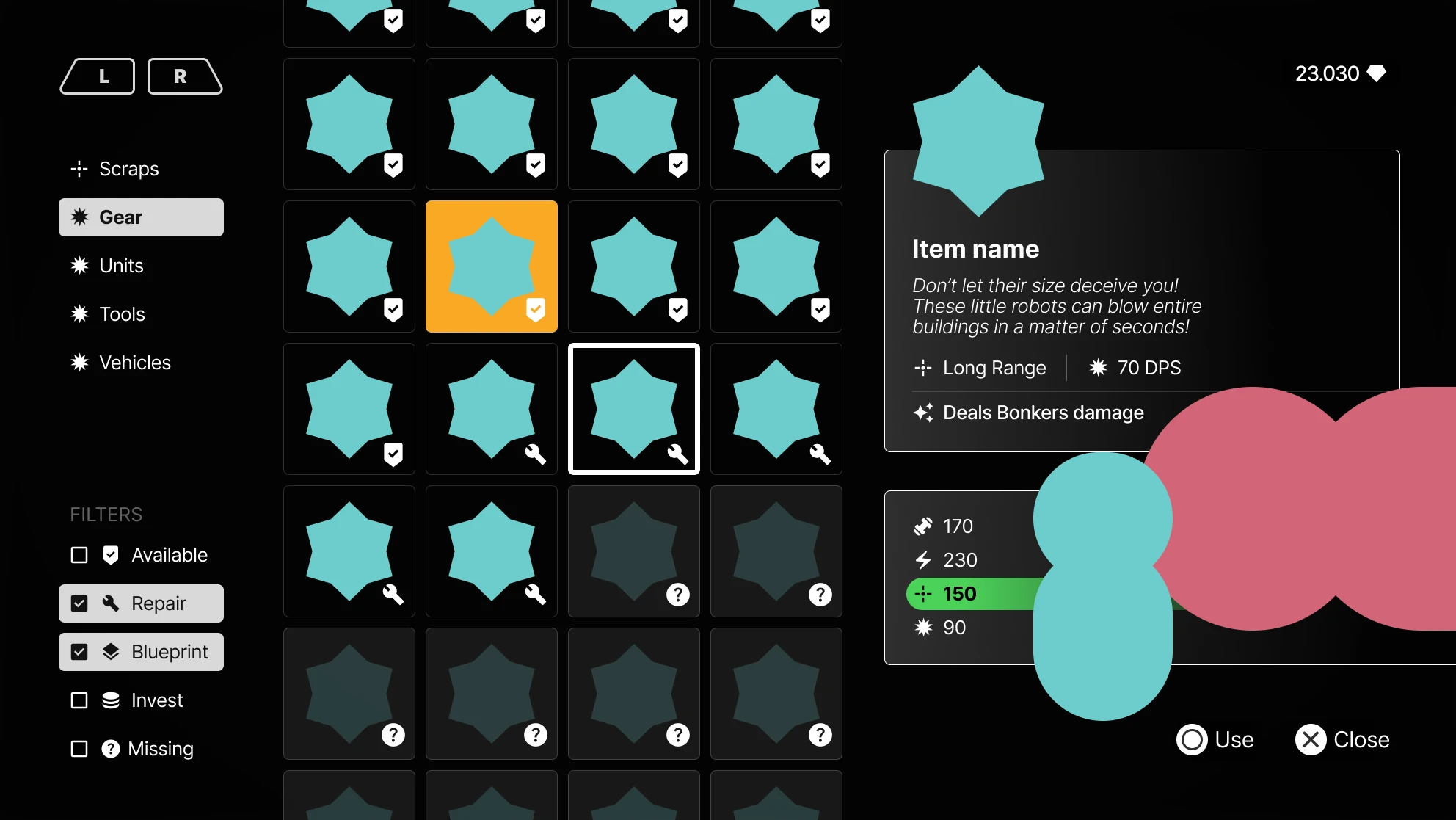
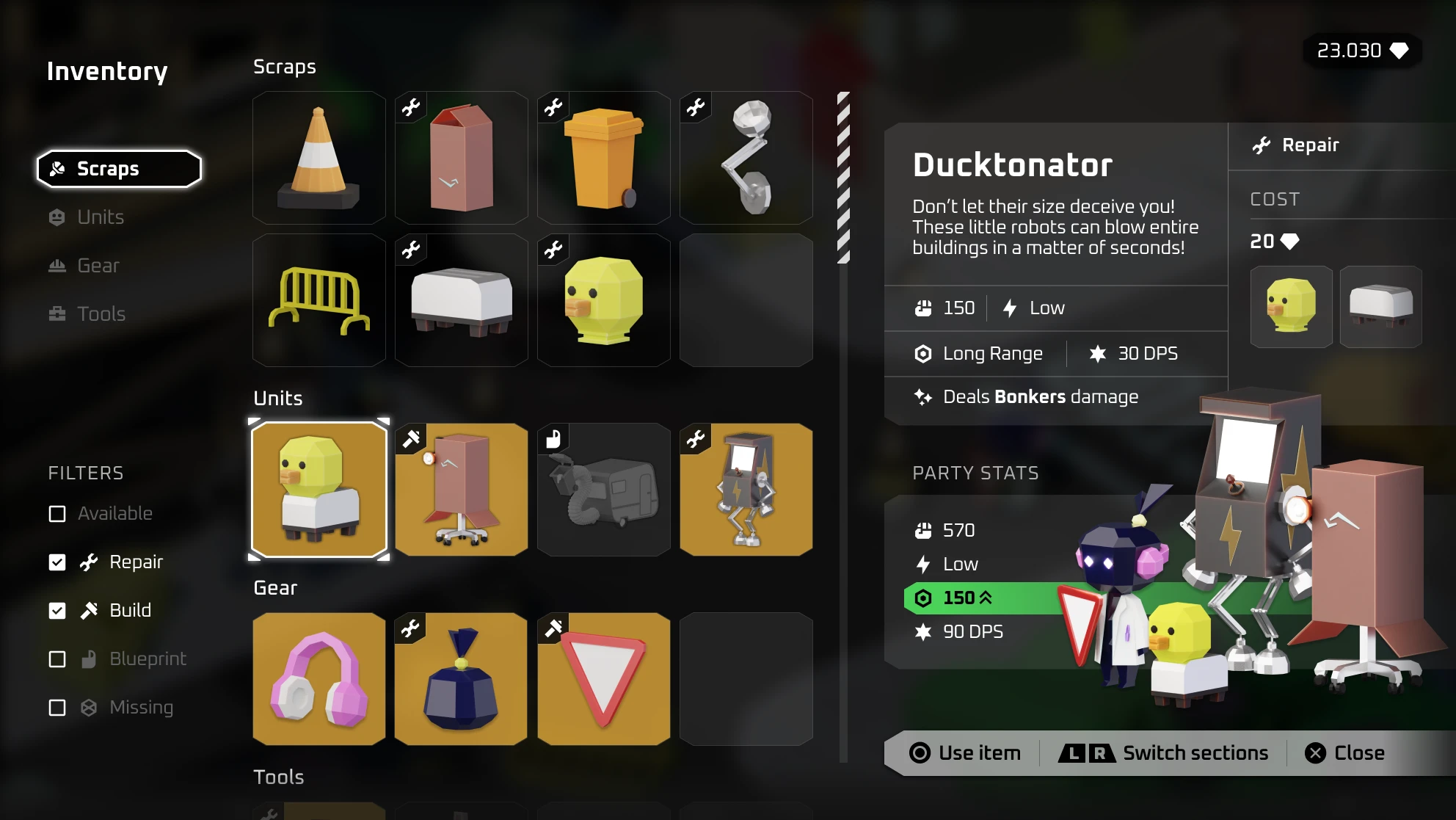
Inventory Menu: Given the complexity of the inventory, a more conventional grid layout was chosen. Sketches included filtering options to manage the numerous item statuses.
User Flow and Wireframes
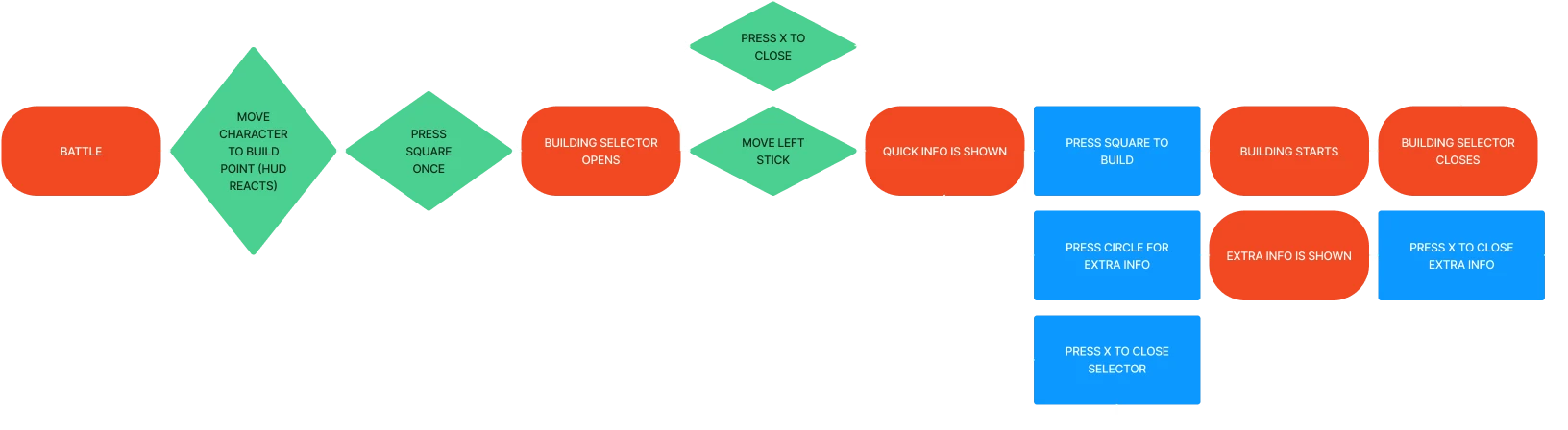
To refine the interaction design, a detailed user flow was created, addressing scenarios such as action cancellation, modal information toggling, and confirmation requirements. This process ensured a comprehensive understanding of user needs and possible interactions.
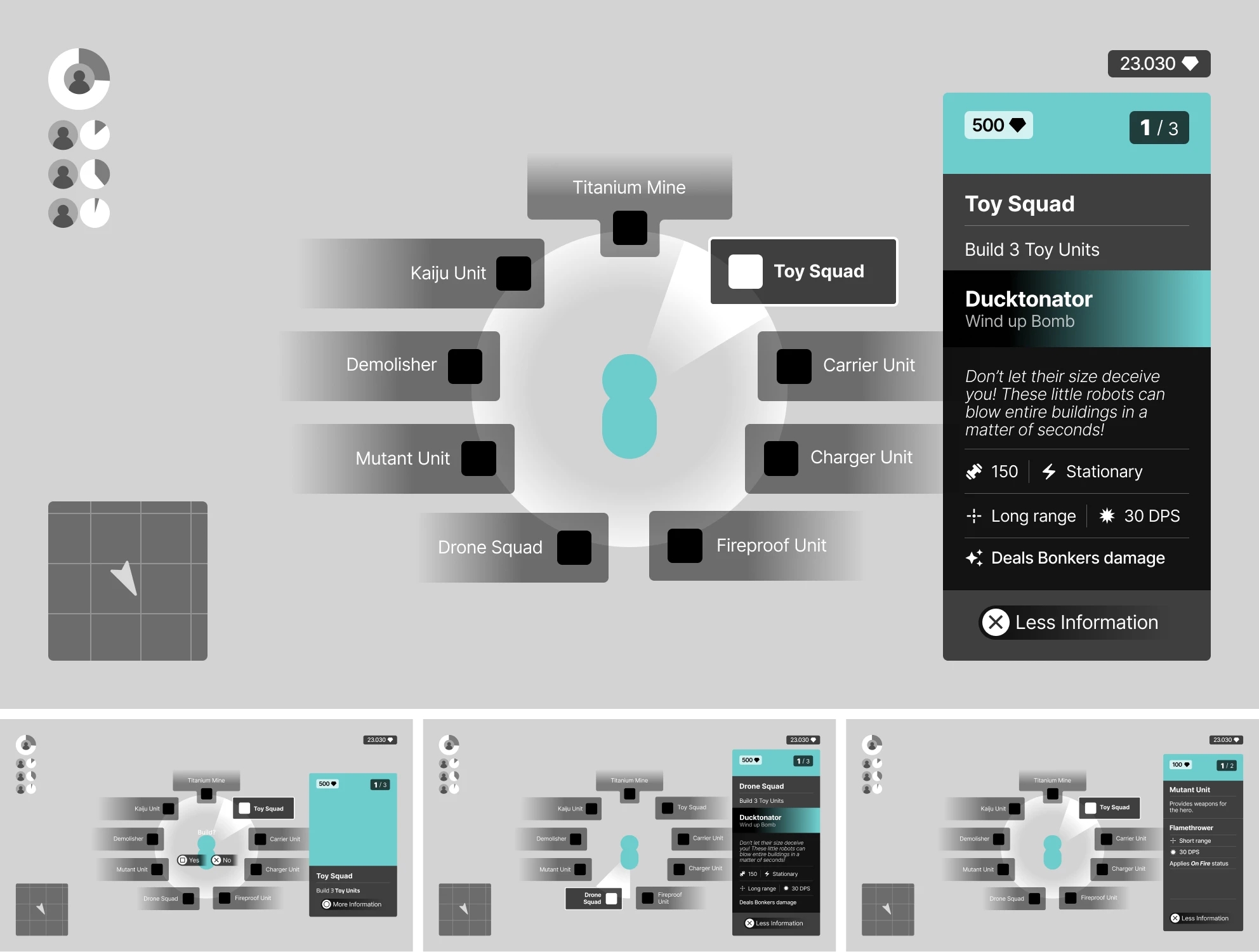
Wireframes were then developed, presenting clear structures for both the radial menu and inventory. The radial menu included an information modal, while the inventory featured a checkbox filter system.
High-Fidelity Prototypes
Visual Elements
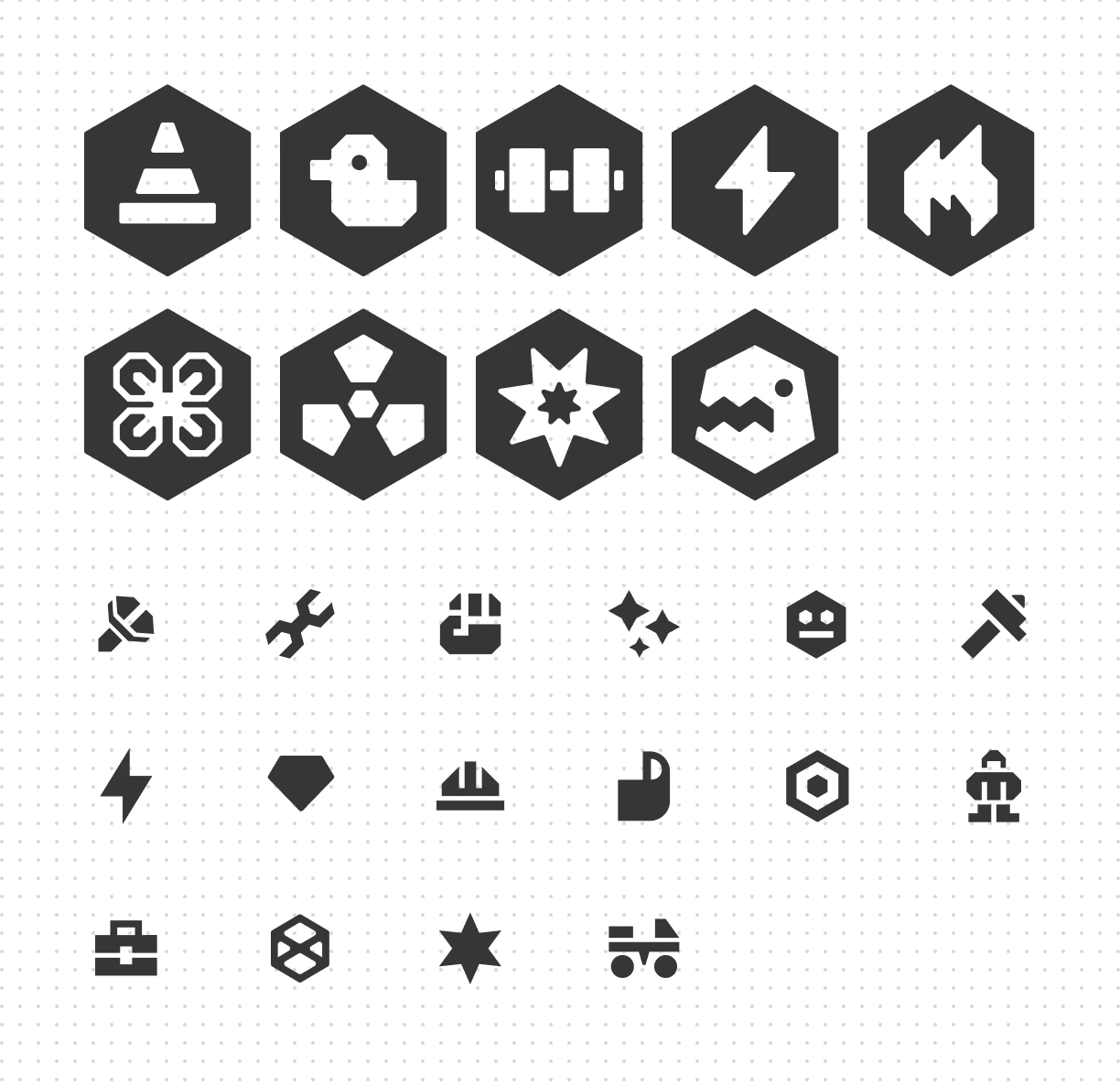
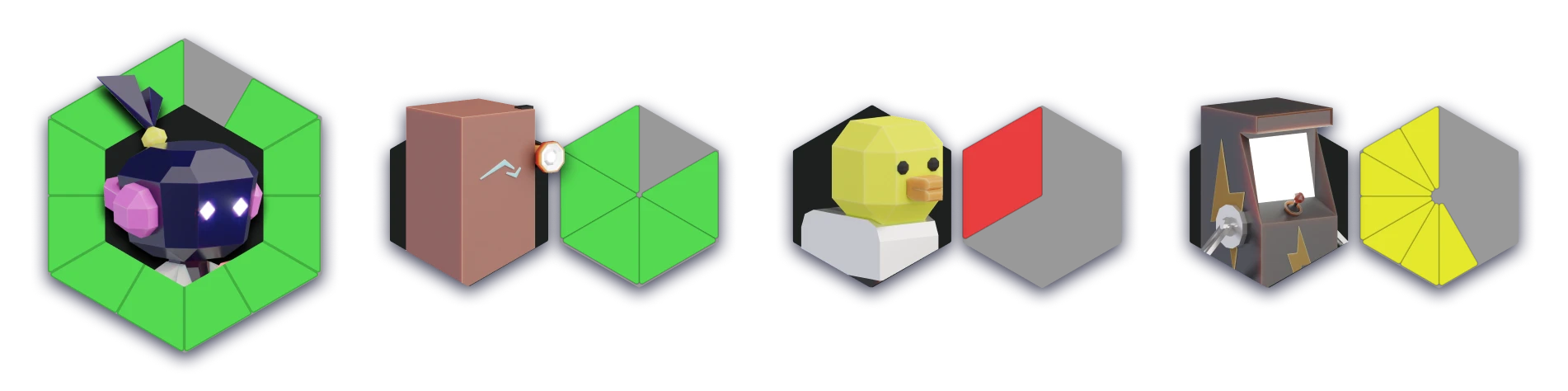
Inspired by construction site signage, visual elements emphasized the building and assembly theme. Hexagon shapes, symbolizing teamwork and cooperation, were used consistently.
Icons: Unit icons and support icons were designed using hexagonal shapes. These icons served as visual cues in the radial menu and minimap.
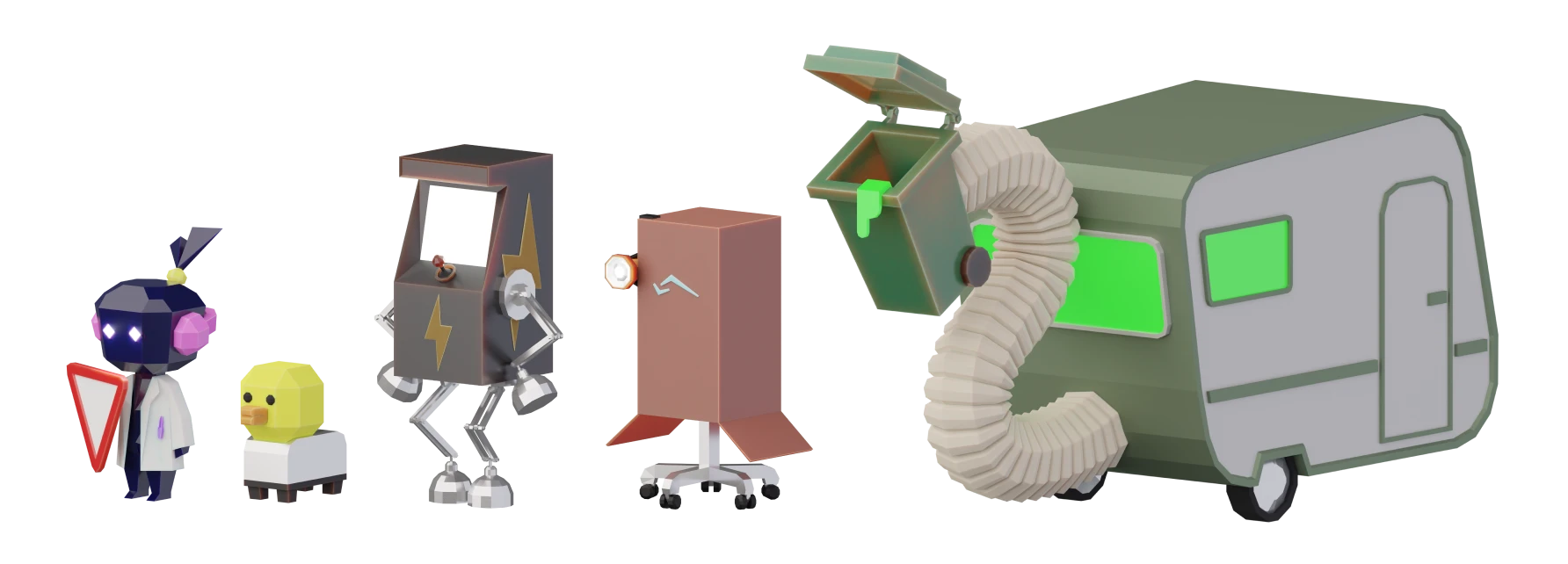
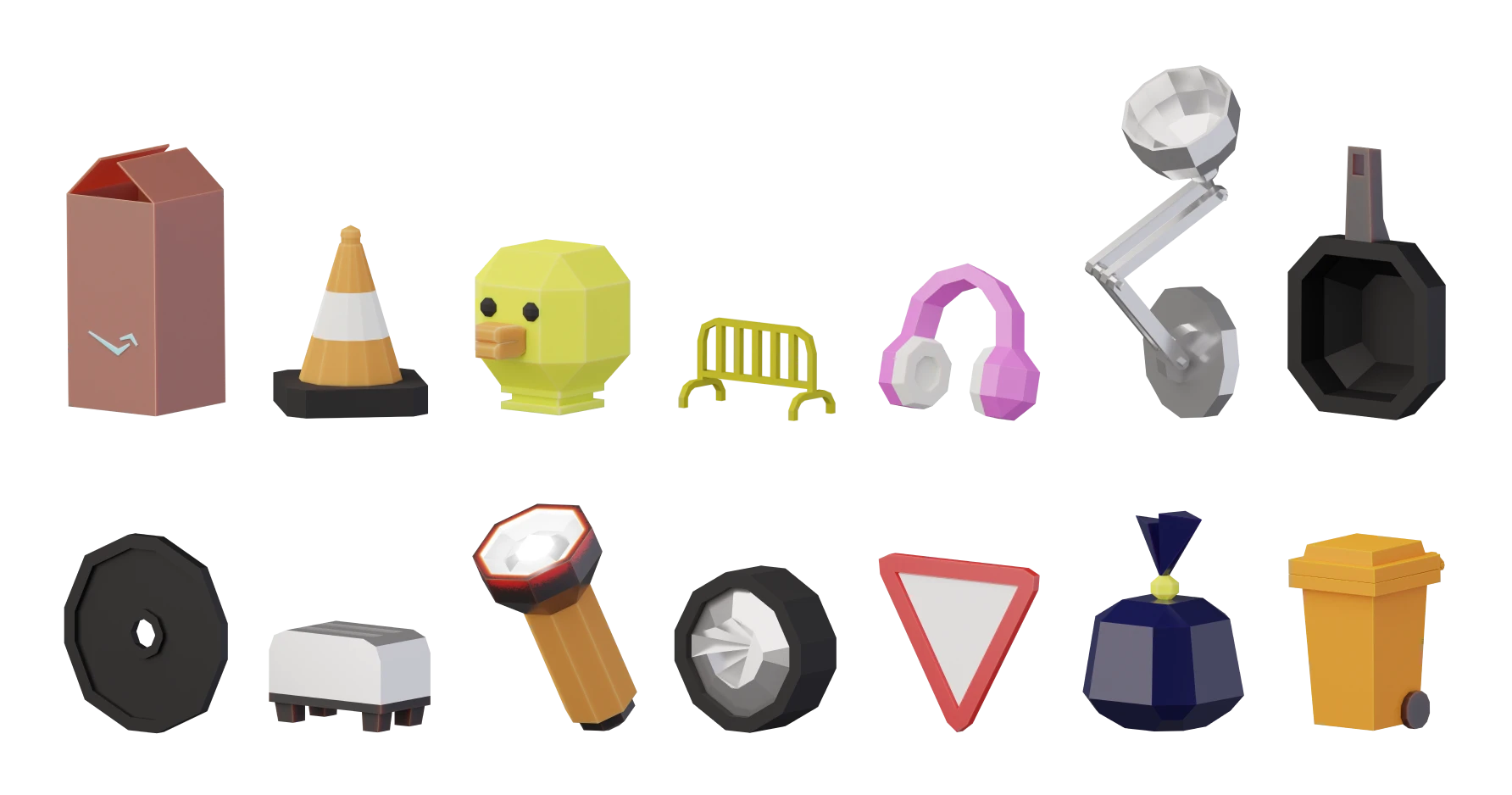
3D Models: Low-poly 3D models were created as placeholders for interface artwork, representing the various robot units and scrap materials.
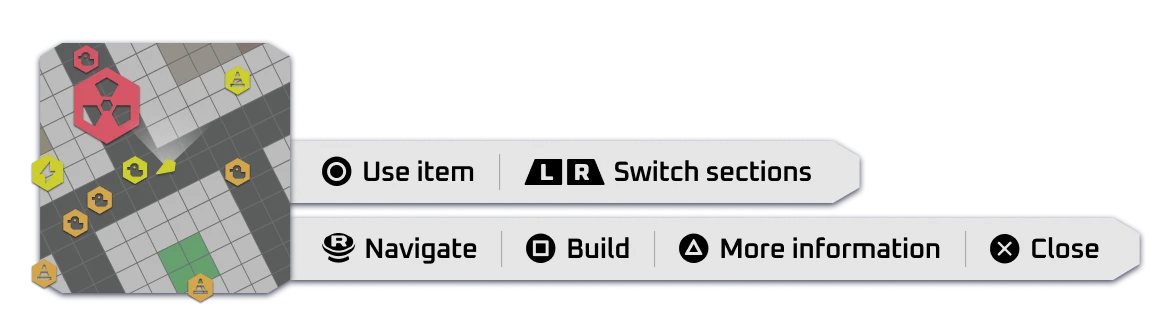
HUD Components: Hexagonal life bars and a minimap were designed to convey unit status and positions. Control tip bars were included to facilitate gameplay.
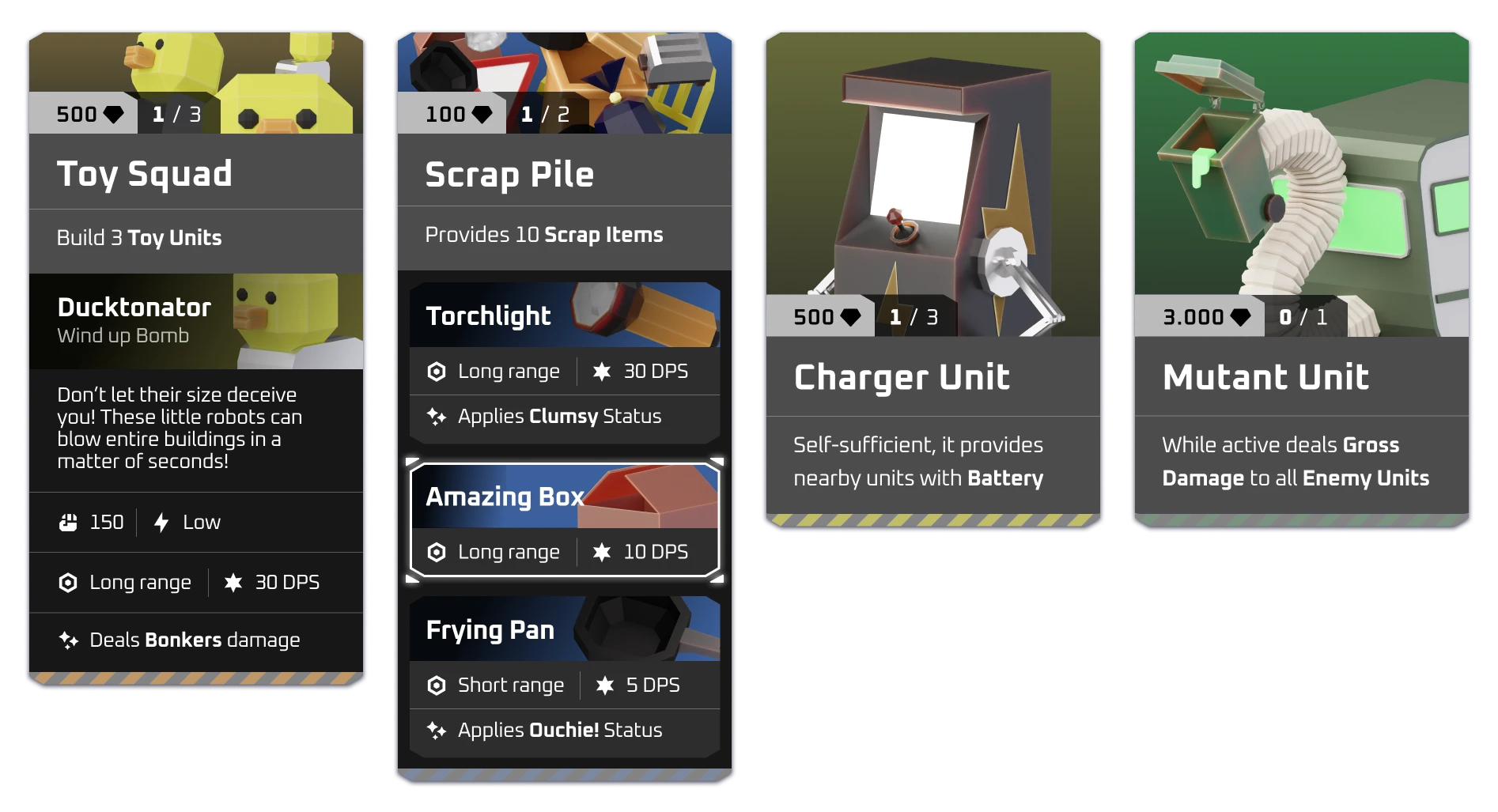
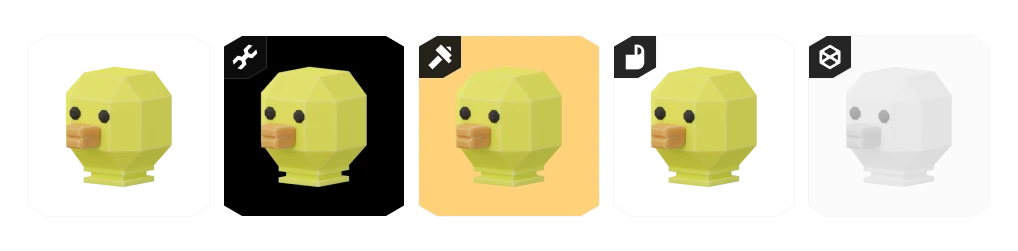
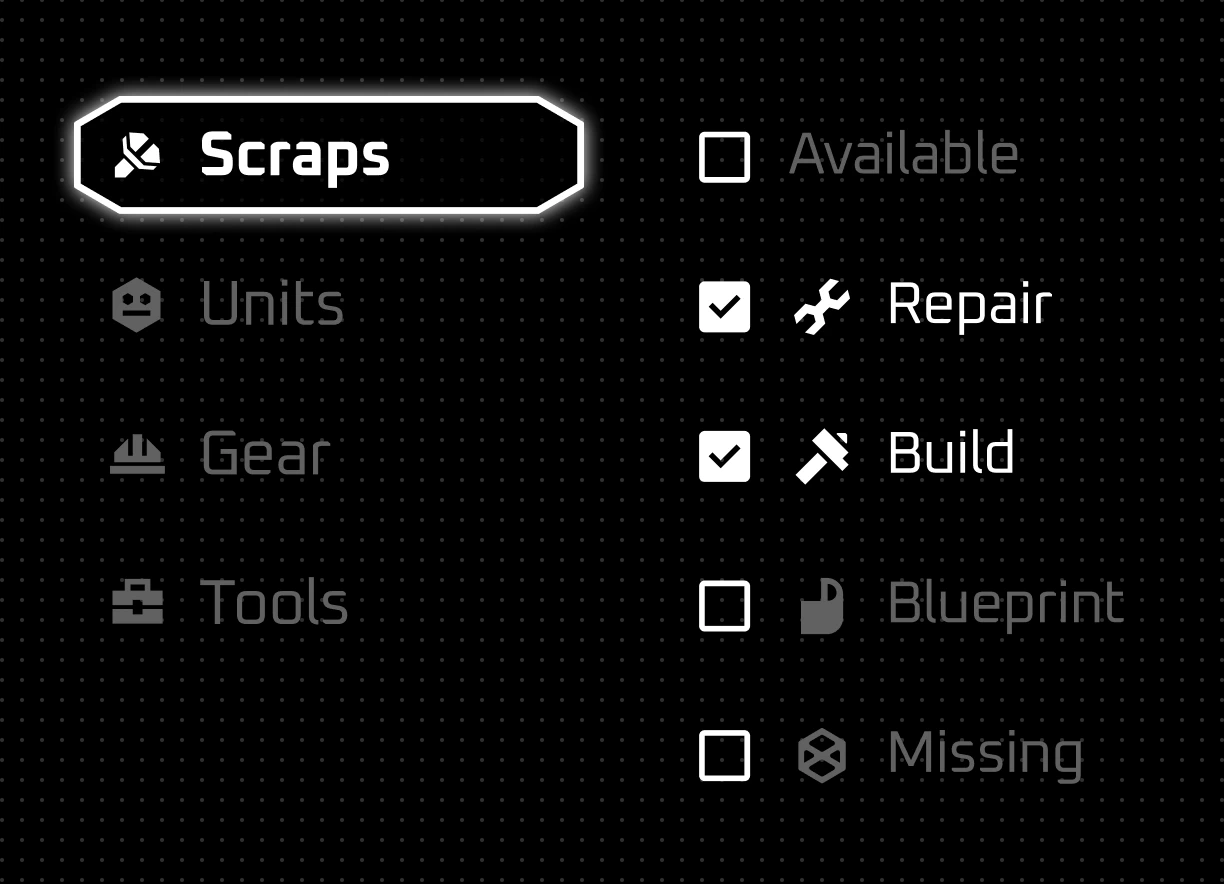
Inventory Components: Inventory items were framed to indicate status such as availability, repair needs, and blueprint ownership. A glowing white frame highlighted the currently focused item.
High-Fidelity Mockups
Mockup 3D Model Scene
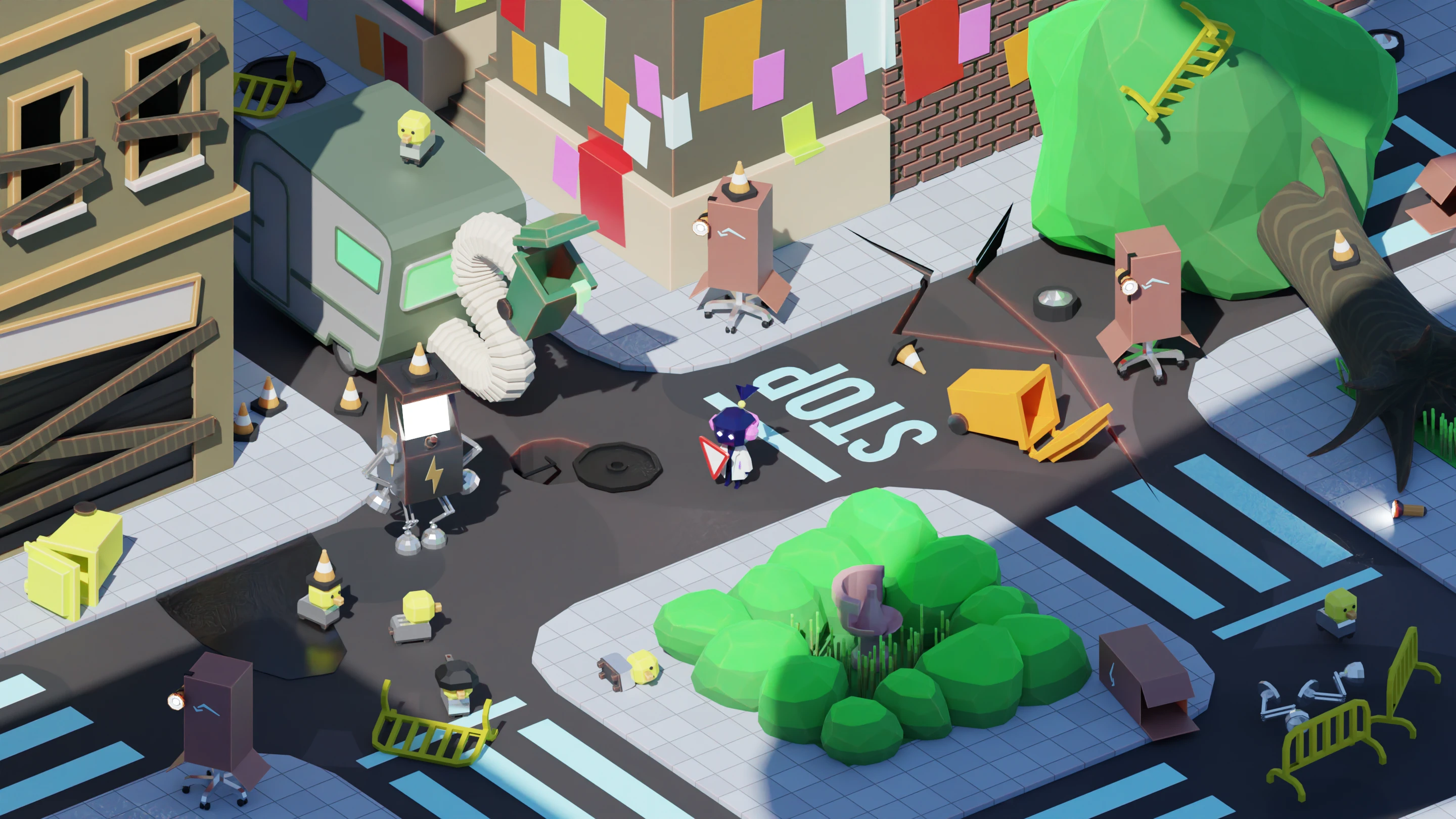
A chaotic battle scene was modeled to showcase the interface elements. The radial menu allowed players to select options quickly without pausing the game, while the inventory displayed items in a grid, with detailed information and status changes.
Radial Menu Mockup
The final design highlighted joystick directions with visual cues, allowing for seamless gameplay. The player's character was outlined in white, ensuring clear visibility during selection.
Inventory Mockup
The inventory mockup featured a grid layout with section toggles and filters for efficient navigation. Detailed item information and party status were displayed for easy access.
Conclusion
Despite not securing the job position, the Battledump project demonstrated my ability to design a comprehensive UI for a console game within a tight timeframe. The project reached the final round of the hiring process and provided valuable experience in addressing the nuances of console game design.
Check the design process in the project's Figma file!
SnackPik
Previous project
Ice Cream Disaster
Next project
LET'S TALK! ✨
I'm currently seeking new opportunities! Let me know if my skills could be a good fit for your team.
MAIL ME